World of Warcraft: Forever

Addons for WoW: Forever

Eight addons that make questing, travel, professions, challenges and your bags easier to follow. Every one is free and open source.

Each works on its own, and they work together when you install more than one. Five are published addons, and three install from GitHub releases.

Adventure Guide Forever

Picks quests for your level in WoW: Forever and, with Shortest Path Forever, walks you to each one.

Adventure Guide Forever suggests quests for your level and quest log, in a short route. Each number on the world map is a stop: a pickup, an objective or a hand-in. Shortest Path Forever walks you to each stop, or the game's own waypoint does without it, and the guide can follow RestedXP guides instead.

Install from CurseForge Wago Addons
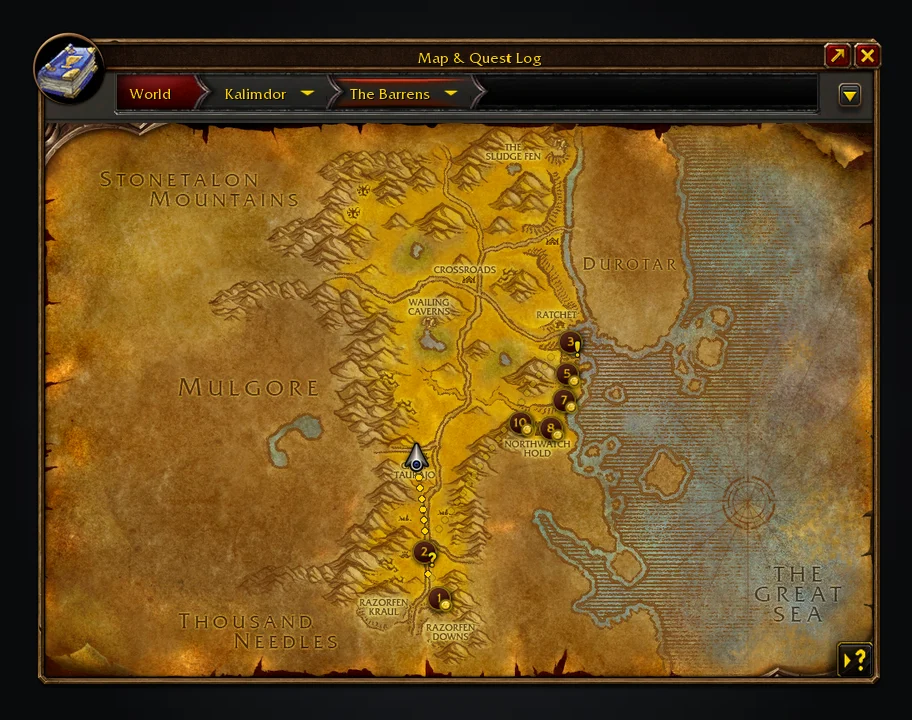
A journey's quest stops numbered on The Barrens map, with a route to the first
Each number is a stop on the route: a pickup, an objective or a hand-in.
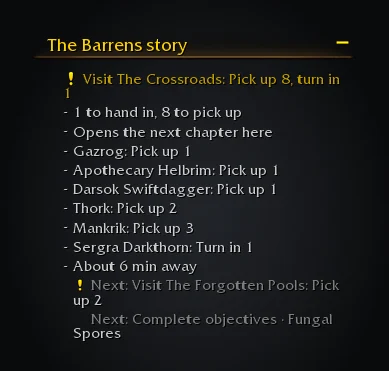
The Adventure Guide tracker section
Your next stop sits beside your quests, with travel time when Shortest Path Forever has an estimate.

Shortest Path Forever

Plan journeys in WoW: Forever, on foot, by air, by sea and through portals.

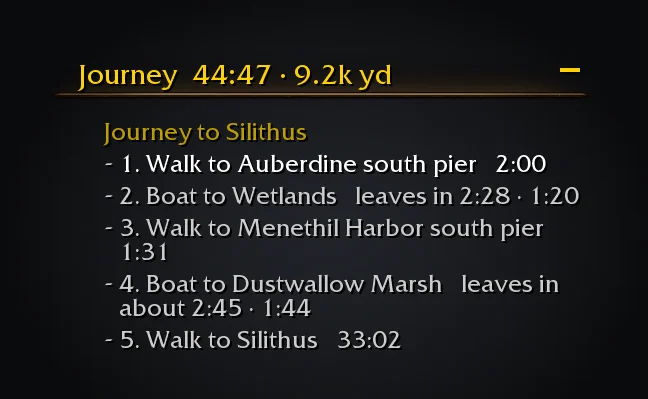
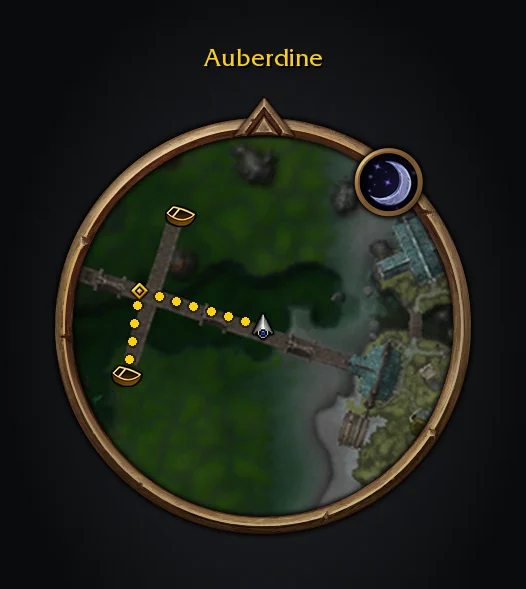
Shift-click the world map or minimap, or choose Plan journey on a quest, to plan a route that combines walking, flights, boats, zeppelins, lifts, the tram, portals and teleports. Directions follow in the objective tracker and on both maps, with live departure times for boats and flights. Routes replan as you move, and can follow RestedXP's current target.

Install from CurseForge Wago Addons

Journey steps from Auberdine to Silithus
The tracker shows each step, with time and distance remaining.
A route and the game's waypoint on the minimap
Breadcrumbs show the walking route. The waypoint leads to the next step.

SkillUp Forever

Classic profession-levelling numbers inside WoW: Forever's Professions window.

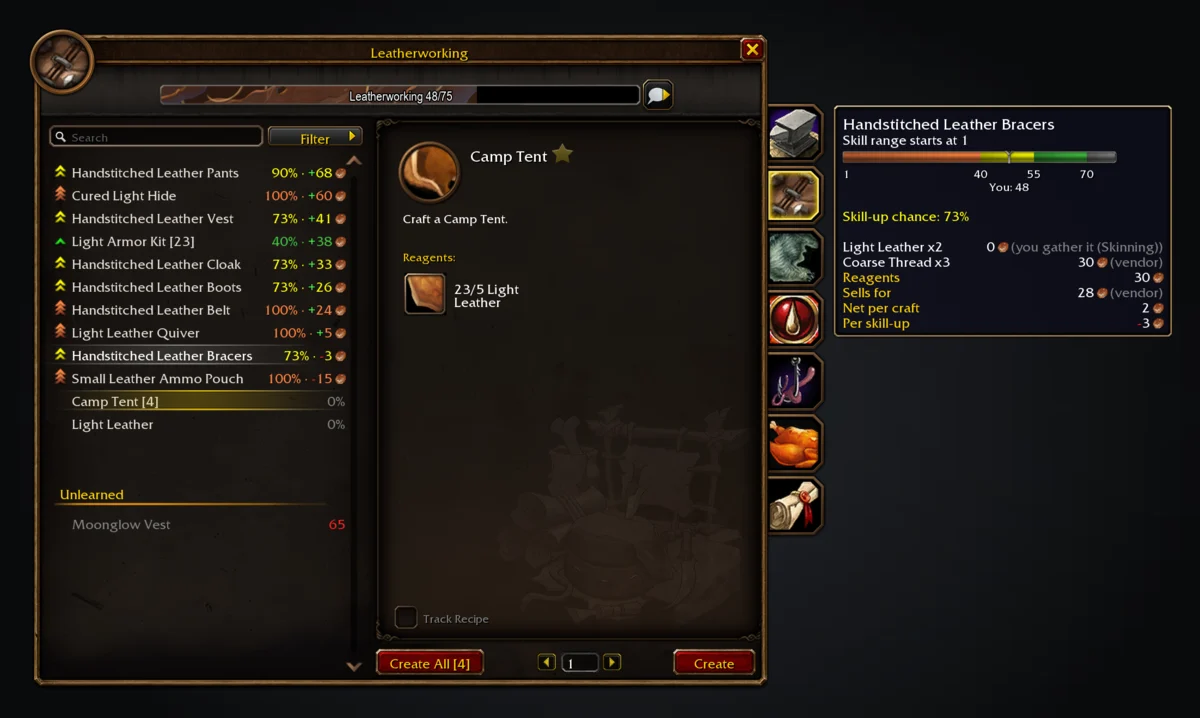
Each recipe row and tooltip shows its skill-up chance, cost and colour thresholds. The side panel adds levelling routes, shopping lists that count reagents against your bags and bank, and crafted gear for each slot. Prices come from vendors you visit and from Auctionator's recorded auctions.

Install from CurseForge Wago Addons
The Leatherworking window with skill-up chance and cost on each recipe row, and a tooltip showing reagent prices
Each row shows its chance and cost. The tooltip beside the window prices each reagent.
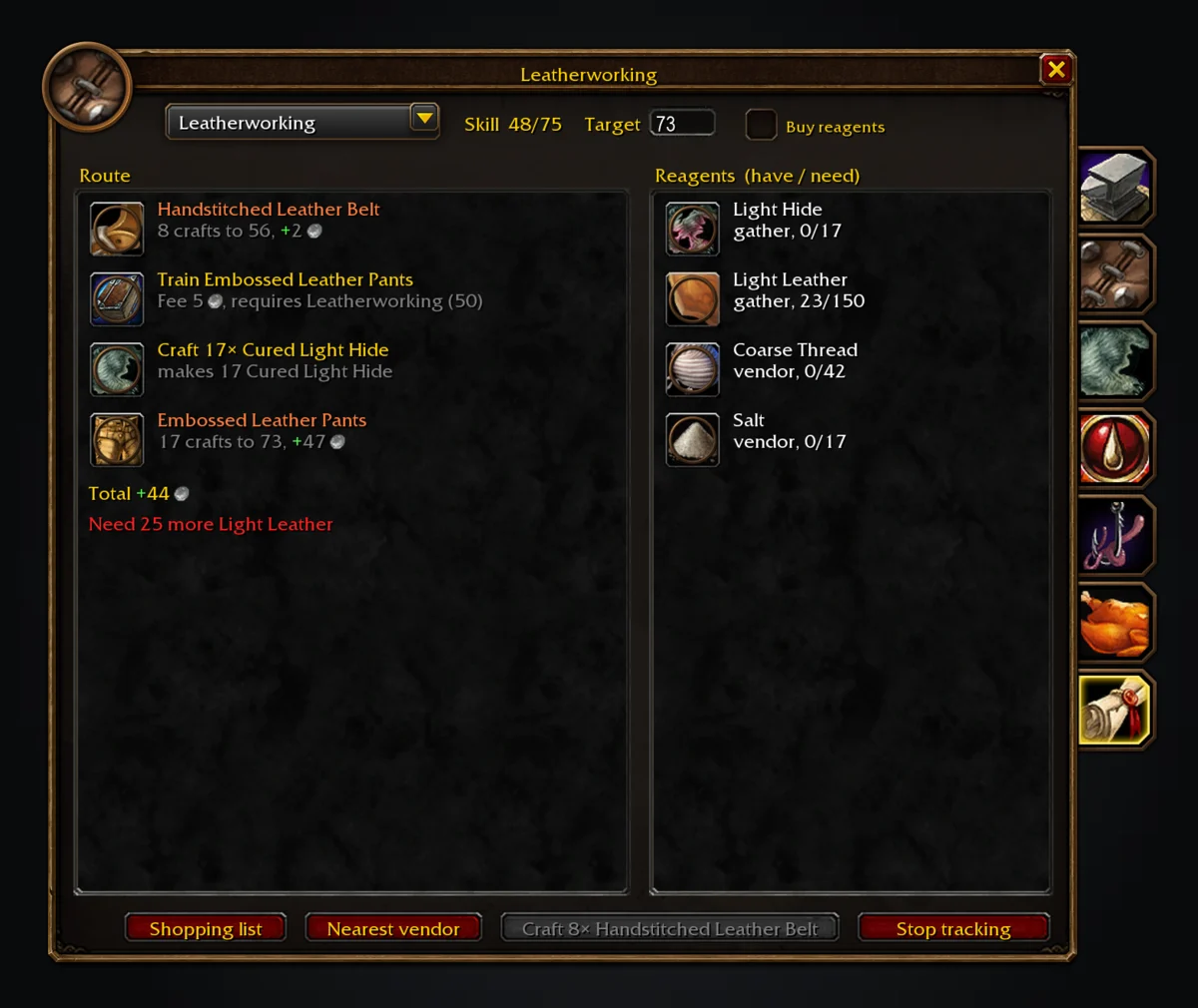
The SkillUp route tab with training and crafting steps and the reagents they need
The route tab lists training and crafting steps with their costs and the reagents they need.

Tweaks Forever

Small quality-of-life tweaks for WoW: Forever that look like they came with the game.

Tweaks Forever can accept and turn in quests, name rares near you in chat, and repair and sell junk at merchants. Gear groups, painted dungeon maps, nameplates, tooltips and movable Blizzard windows sit beside them in the game's settings. Every feature has its own setting, and a feature steps aside when another addon already does that job.

Install from CurseForge GitHub releases

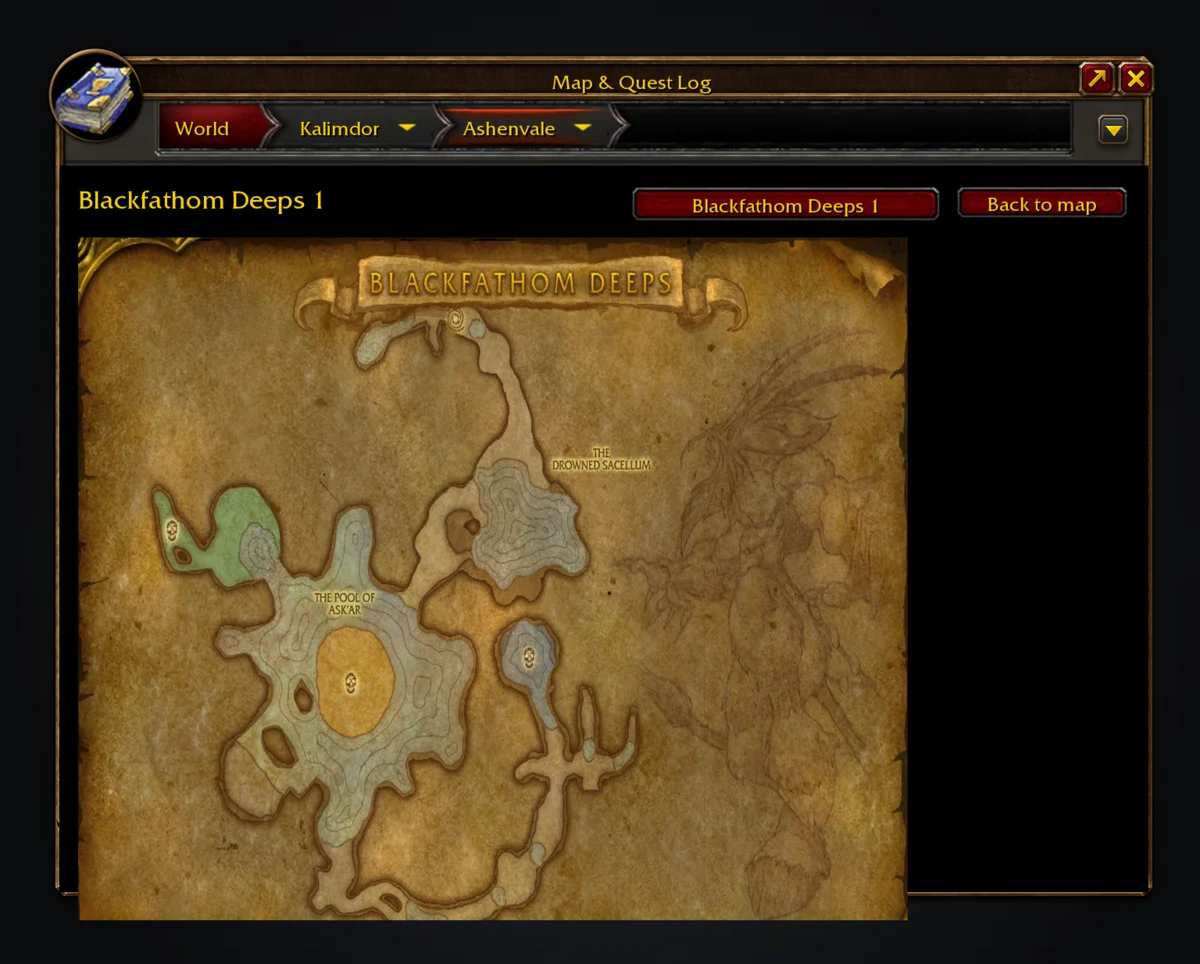
The world map inside Blackfathom Deeps, showing the painted dungeon floor
Inside a dungeon or raid, the map opens on its painted sheet.
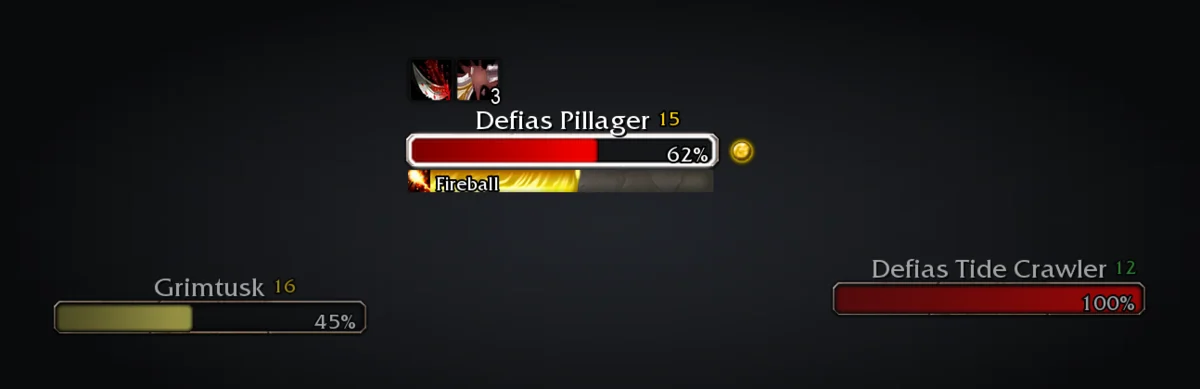
Three enemy nameplates, the target outlined with a Fireball cast
Nameplates in retail's own frame, with your target outlined and a quest icon on what you still need.

Legacy Forever

Your unfinished WoW: Forever Legacy challenges, on the world map, for the zone you are looking at.

Legacy Forever marks unfinished Legacy challenges on the world map and tracks the ones you tick, with live progress in the objective tracker. Undiscovered areas are shaded in their real shape, and dungeon and raid entrances carry the challenge each counts toward. A zone completion percentage sits in the map's corner, and each zone with dungeon objectives left gets a badge on the continent map.

Install from CurseForge Wago Addons
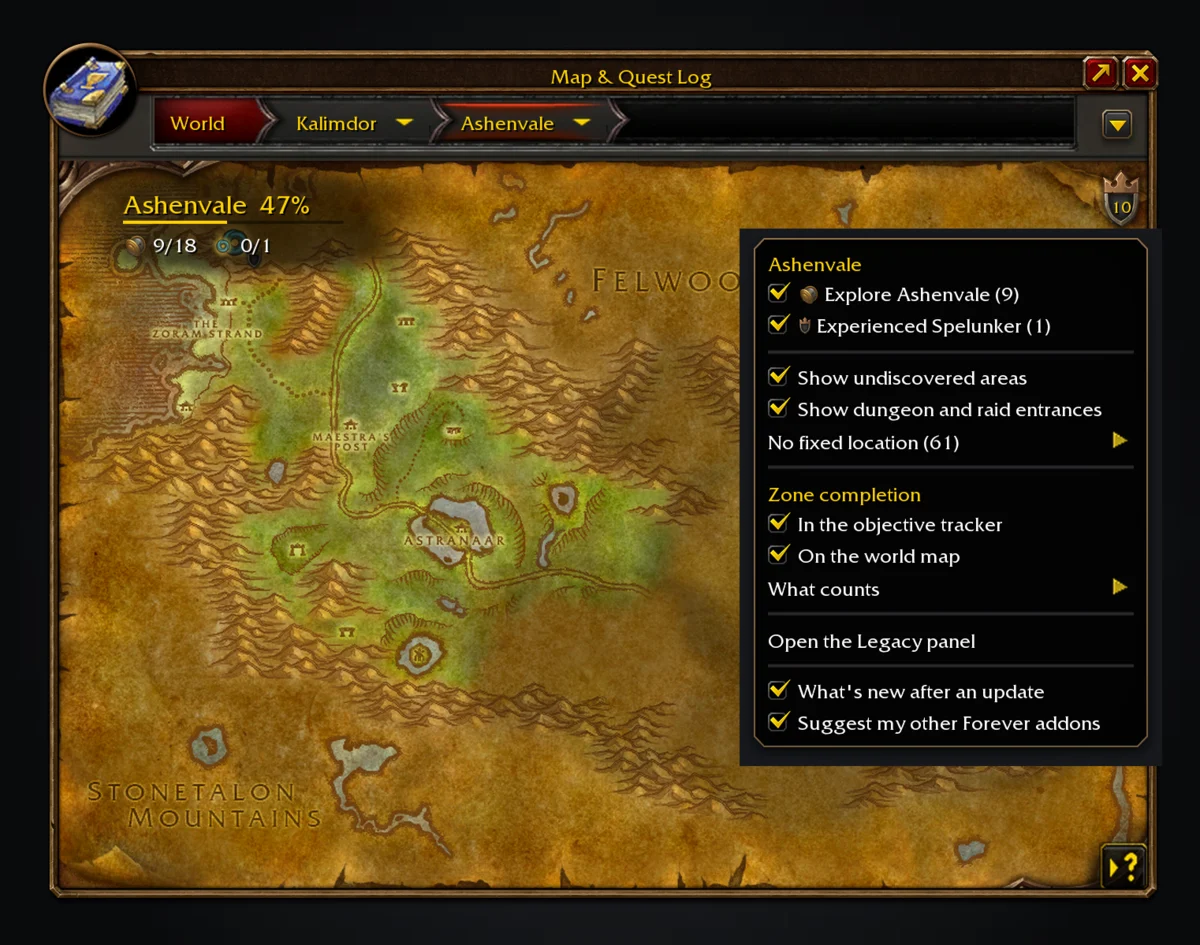
Ashenvale on the world map with undiscovered areas shaded, the zone completion corner and the Legacy menu open
Half of Ashenvale explored: the shield's number is what is left on this map, and its menu lists it by challenge.
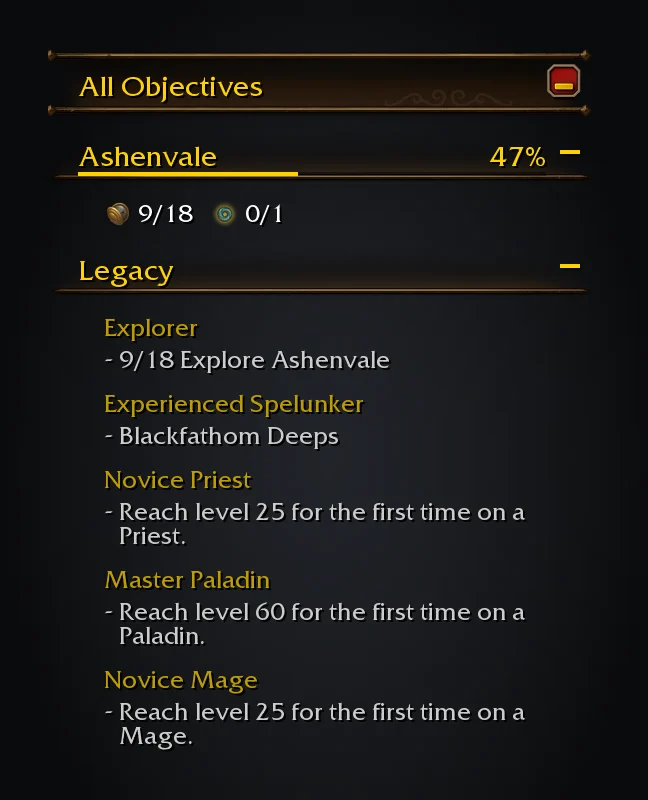
The objective tracker with the game's All Objectives header and the tracked Legacy challenges
Challenges you track sit in the objective tracker under the game's own header, with live progress.

Commissions Forever

Tracks repeatable Classic turn-ins and the materials in your bags.

One list covers repeatable turn-ins such as Argent Dawn writs, Cenarion Circle Logistics, Thorium Brotherhood, Timbermaw Hold and Morrowgrain research, with the materials each needs and counts from your bags. Active commission objectives come from your quest log and QuestieDB. With Shortest Path Forever installed, the remaining finishers can be sent as one route.

Not on a store yet: install from GitHub releases

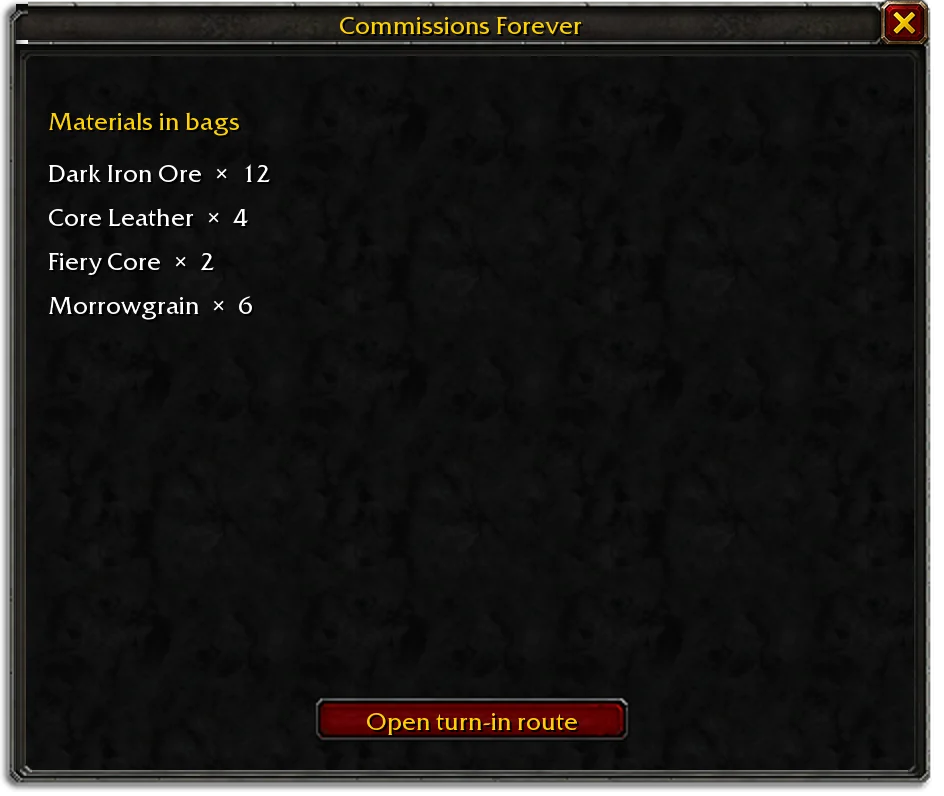
Commissions Forever lists turn-in materials and bag counts
The list groups your held materials and offers a route to active commission turn-ins.

Field Guide Forever

A field journal for the creatures of Azeroth.

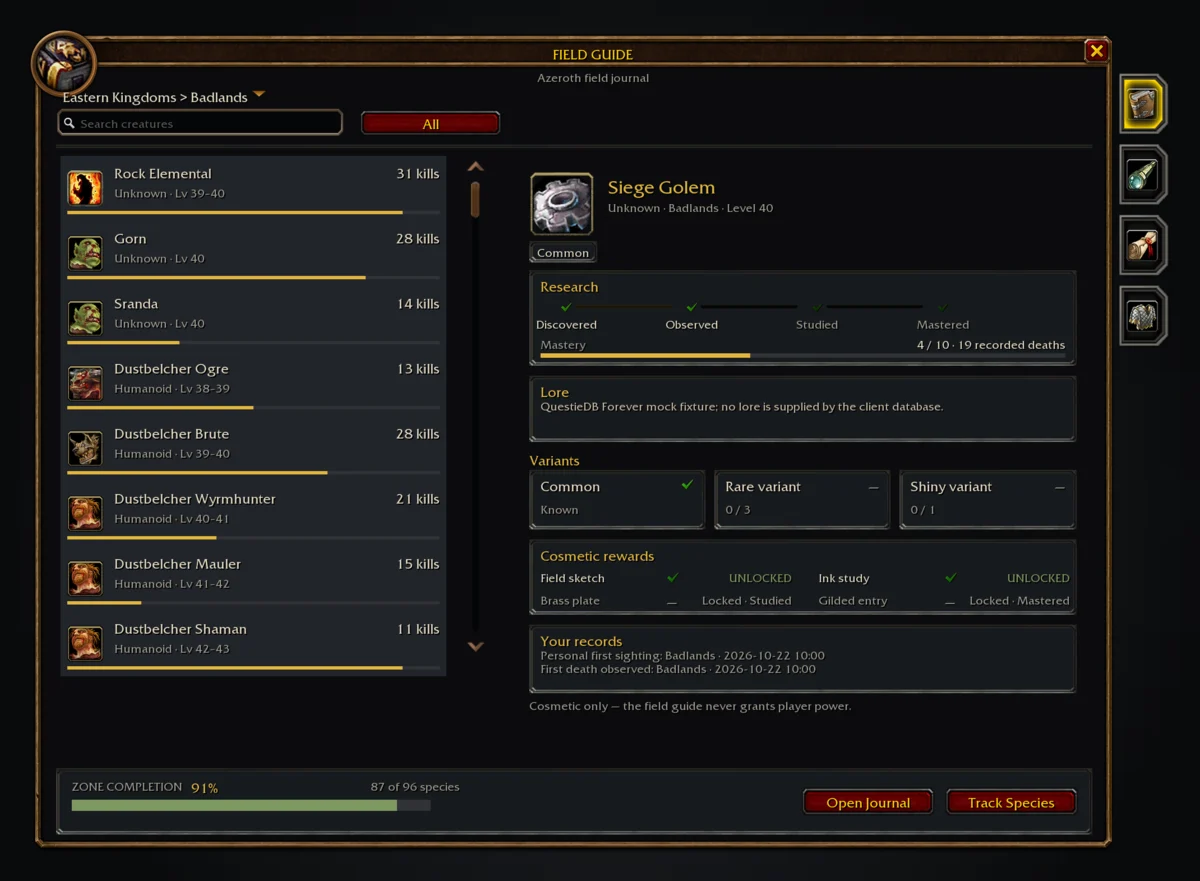
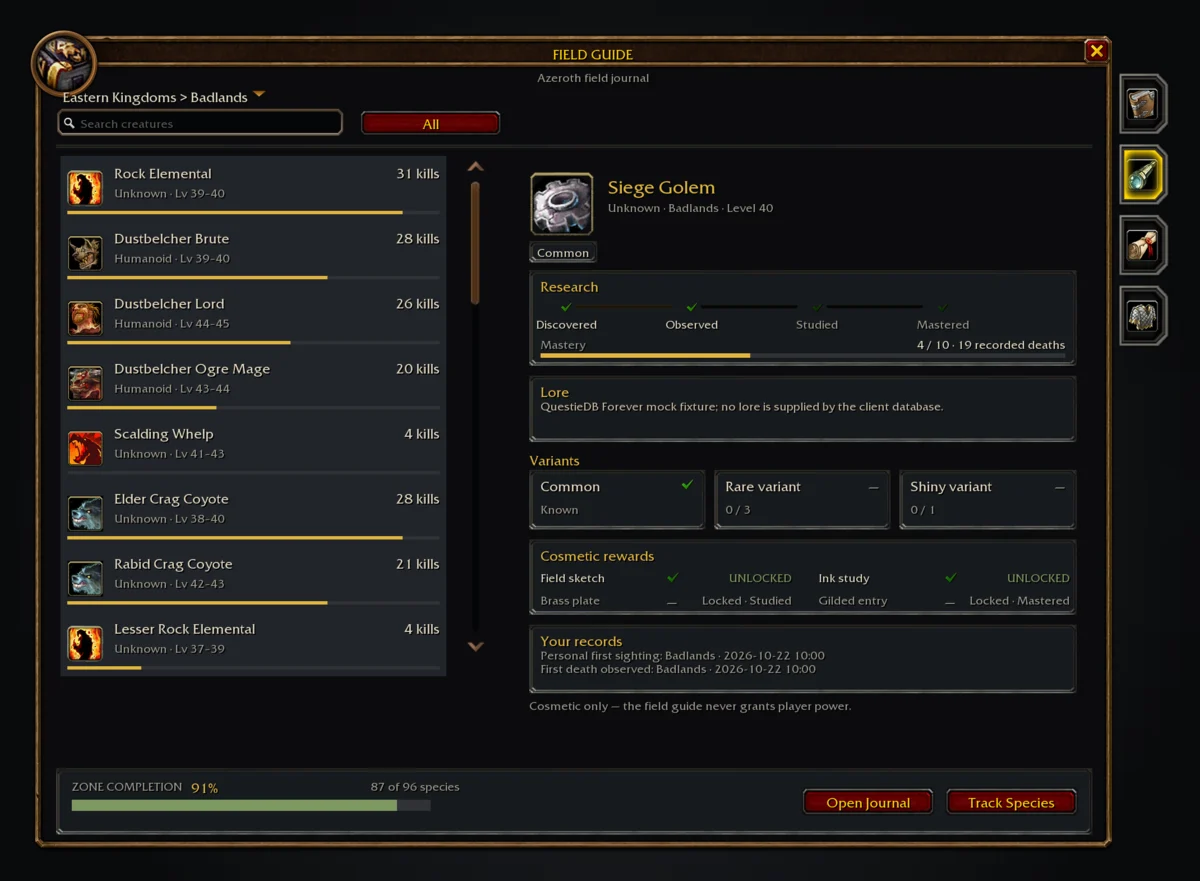
Hostile creature deaths in a catalogued zone are recorded in the journal, with names, levels, families and ranks read from your installed QuestieDB. Species move through a ten-step mastery track and can turn up as rare or shiny variants, with separate personal records. It is cosmetic only and never grants player power.

Not on a store yet: install from GitHub releases

The creatures journal
The journal catalogues creatures by zone, with their levels, families and ranks.
The rares page
Rare creatures keep separate personal records.

Hoard Forever

Search your bags, bank and alts in one window.

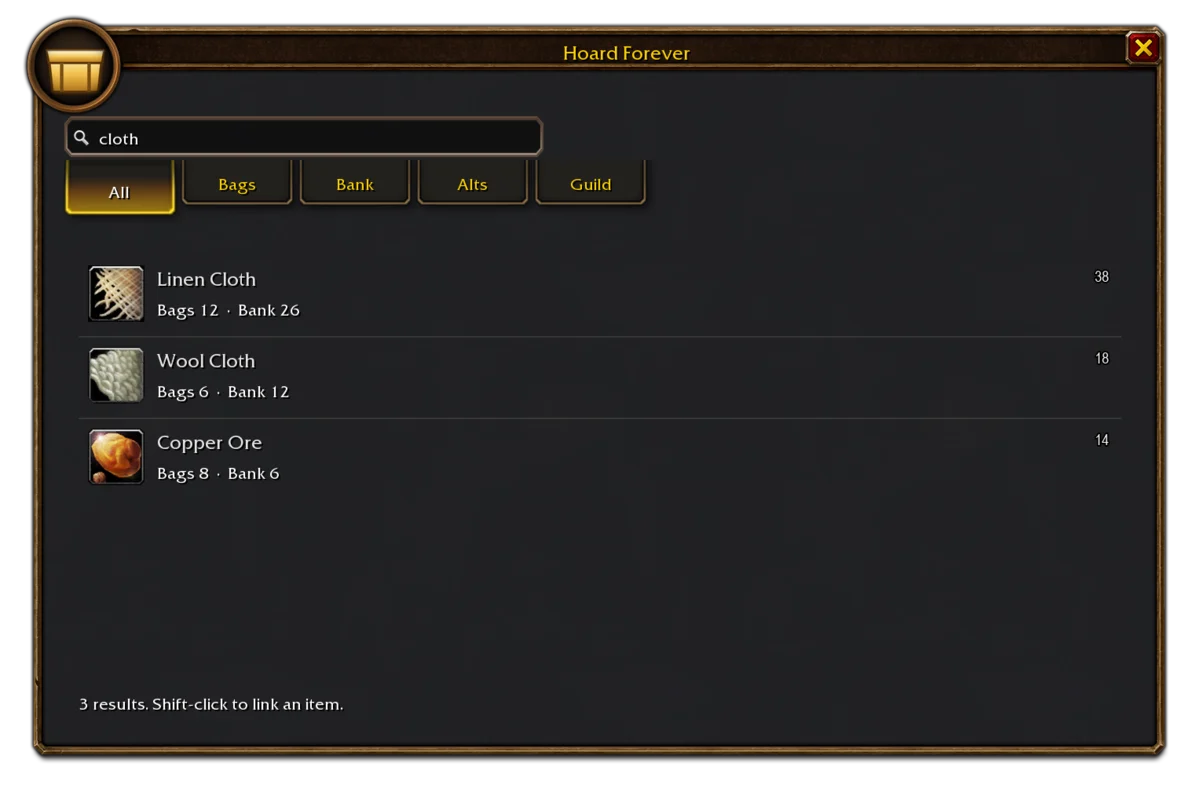
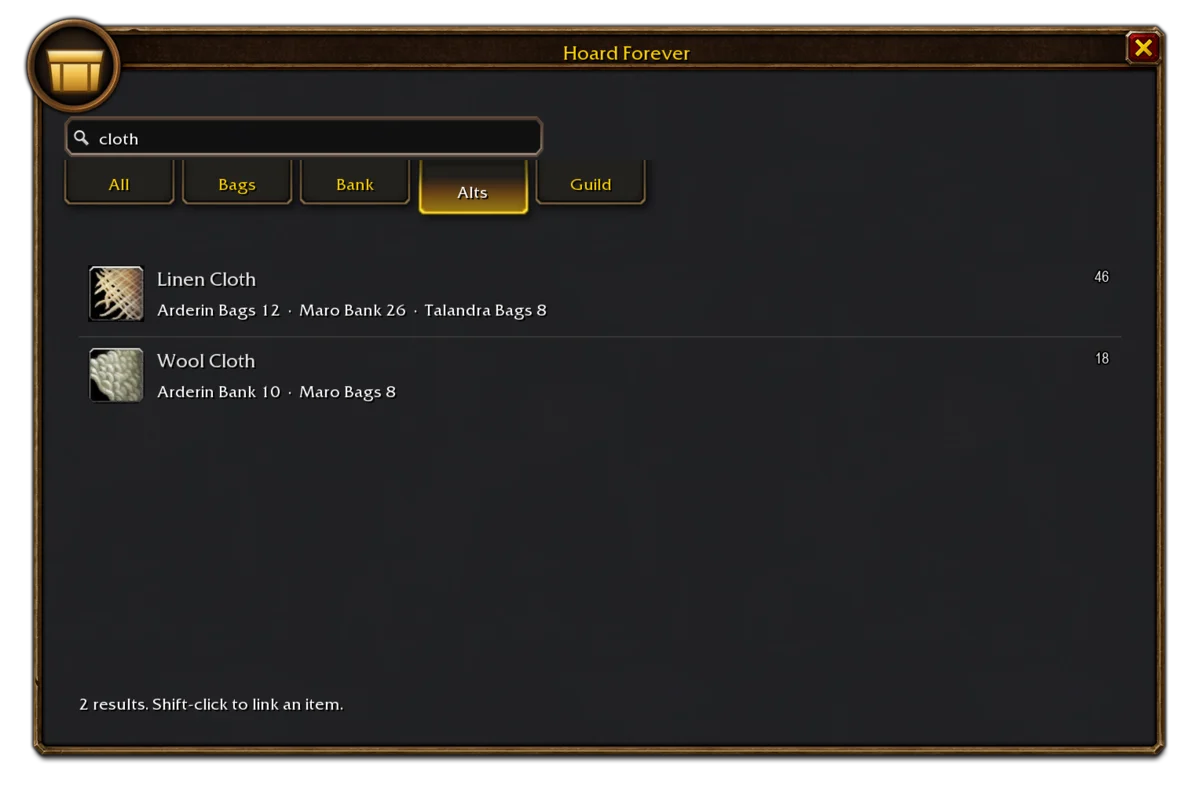
Type an item's name and Hoard Forever lists every place it sits, on the character you are on and on every alt that has logged in since the addon was installed. Results cover bags, the reagent bag, the bank and its reagent bank, and a read-only guild vault snapshot, with filters for quality, item class and item level. It only reads, and never moves, sells, mails or uses an item.

Not on a store yet: install from GitHub releases

Matching items in bags and bank
One search finds every stack in your bags and bank.
Item stacks across three saved characters
Alts record themselves, so their stashes are searchable without logging over to them.